
This page allows you to create, edit and delete groups. Groups allow you to manage multiple users with similar functions easily.
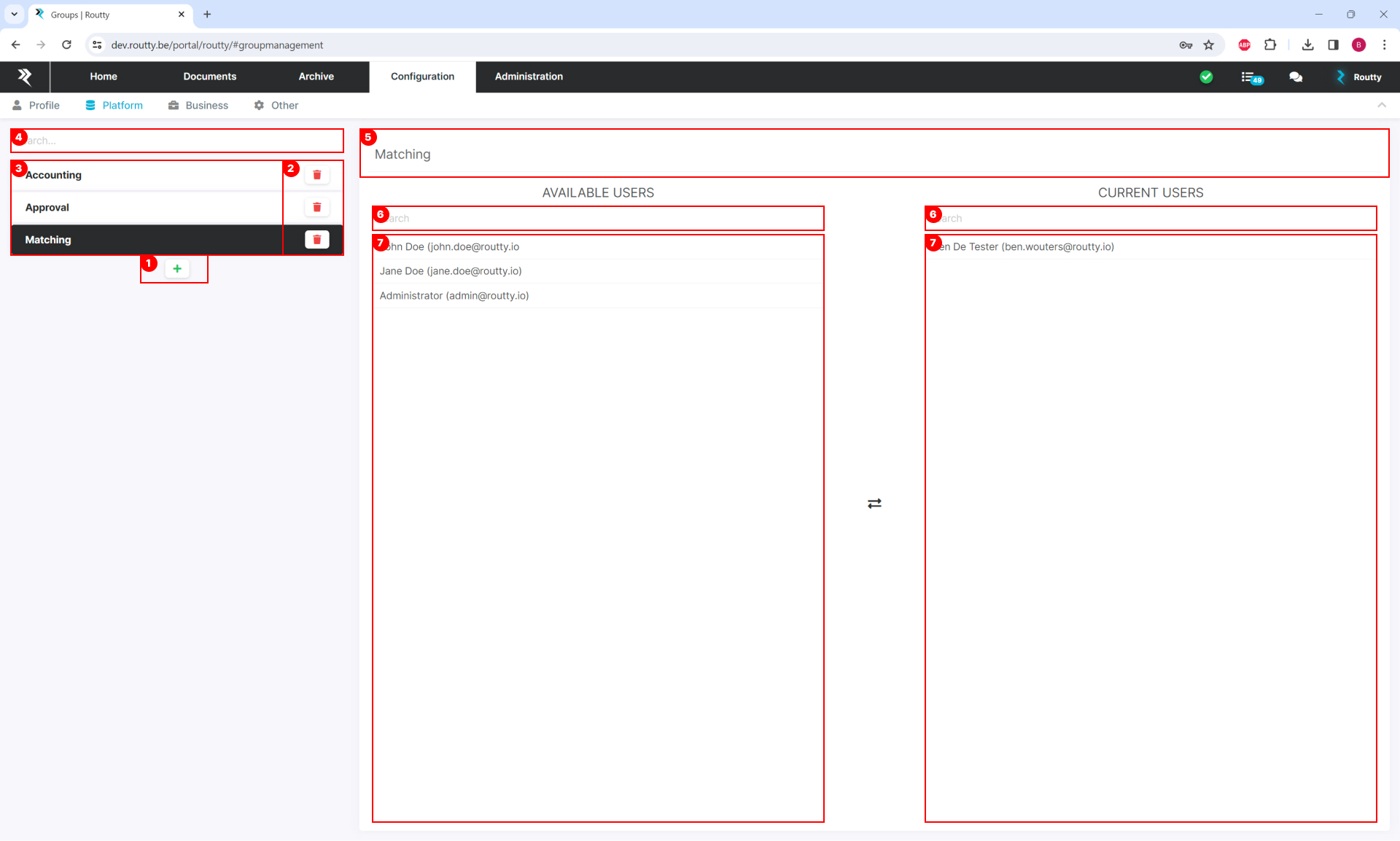
The overview of existing groups on the left side allows you to:
-
add
-
delete existing groups
-
select existing groups for editing
-
Search for specific groups
In the editing area on the right side you can:
5. edit the name of a group by clicking the name in the header
6. use the search functionality to quickly find users you wish to add or remove from a group
7. move users in and out of a group by clicking on the username in either column