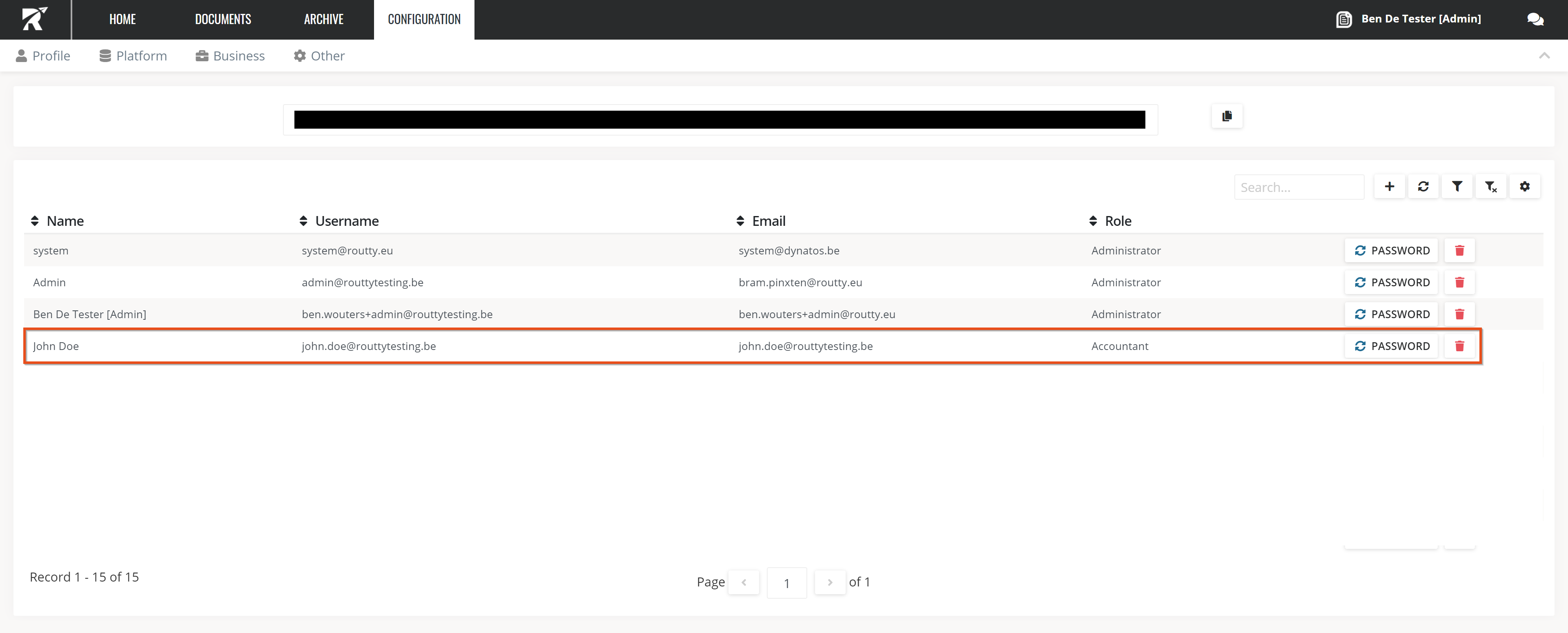
Admins of the platform are able to create/edit/delete users. Here’s how.
Ensure that you are logged in with a user that has admin rights on user administration
Instructions
-
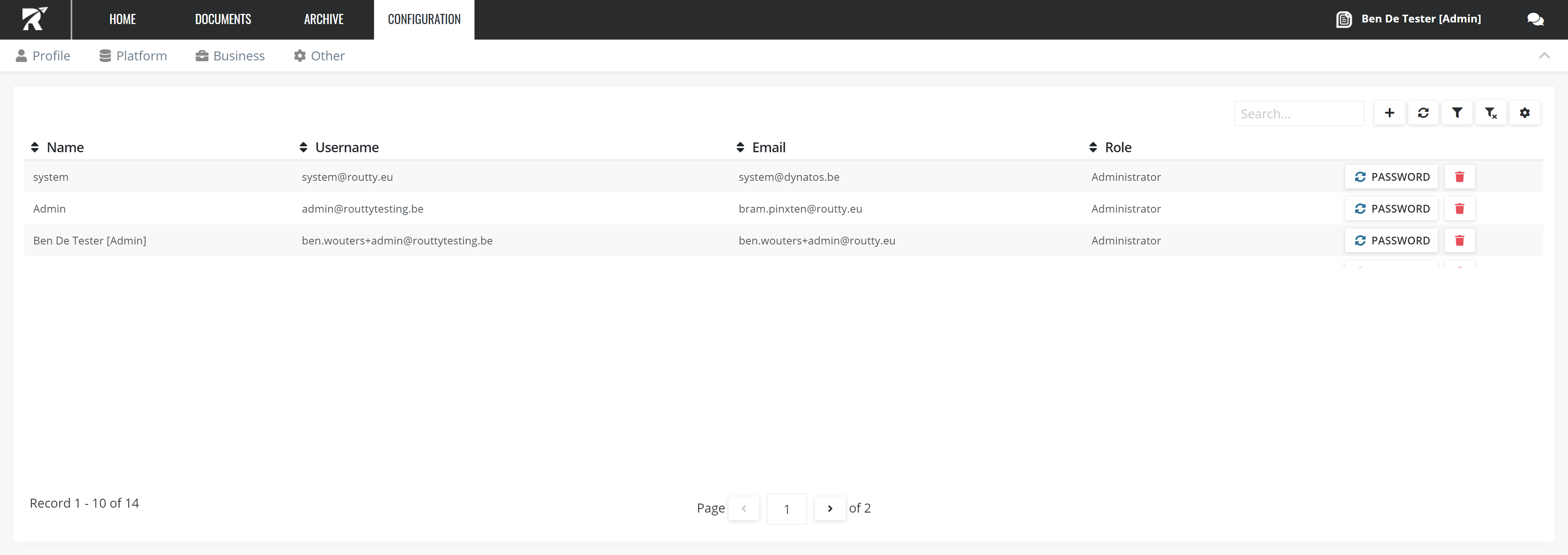
Navigate towards Configuration / Platform / User administration
-
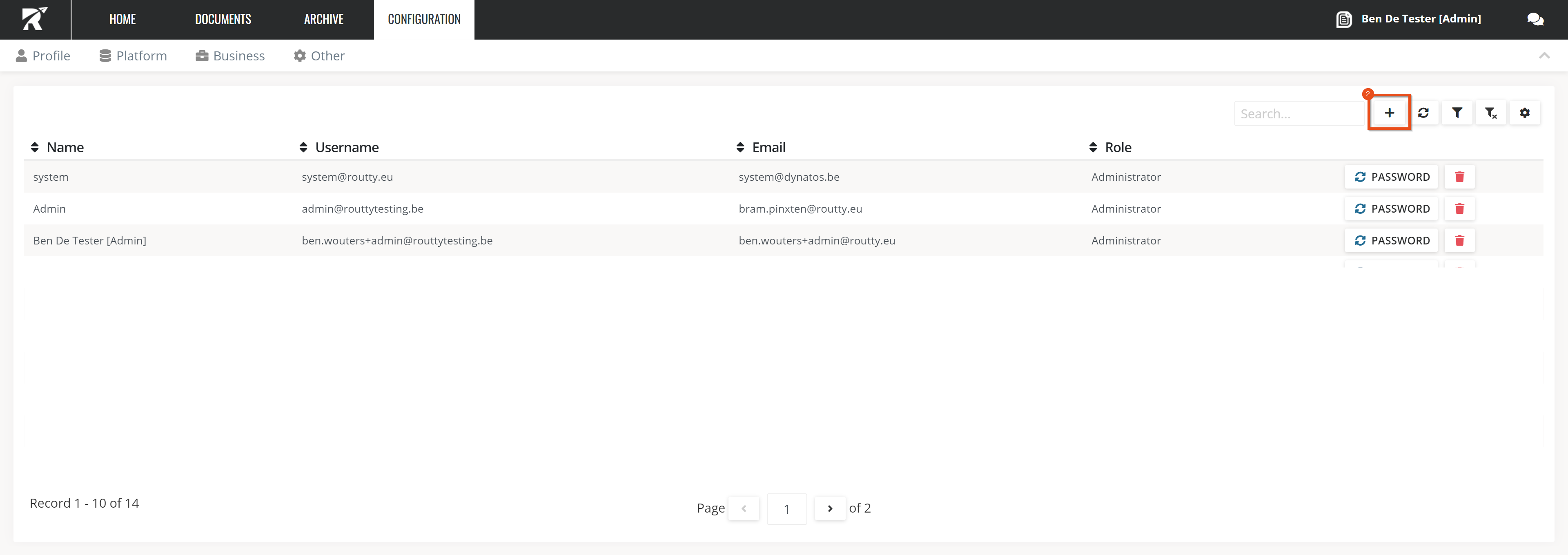
Click on the add
-
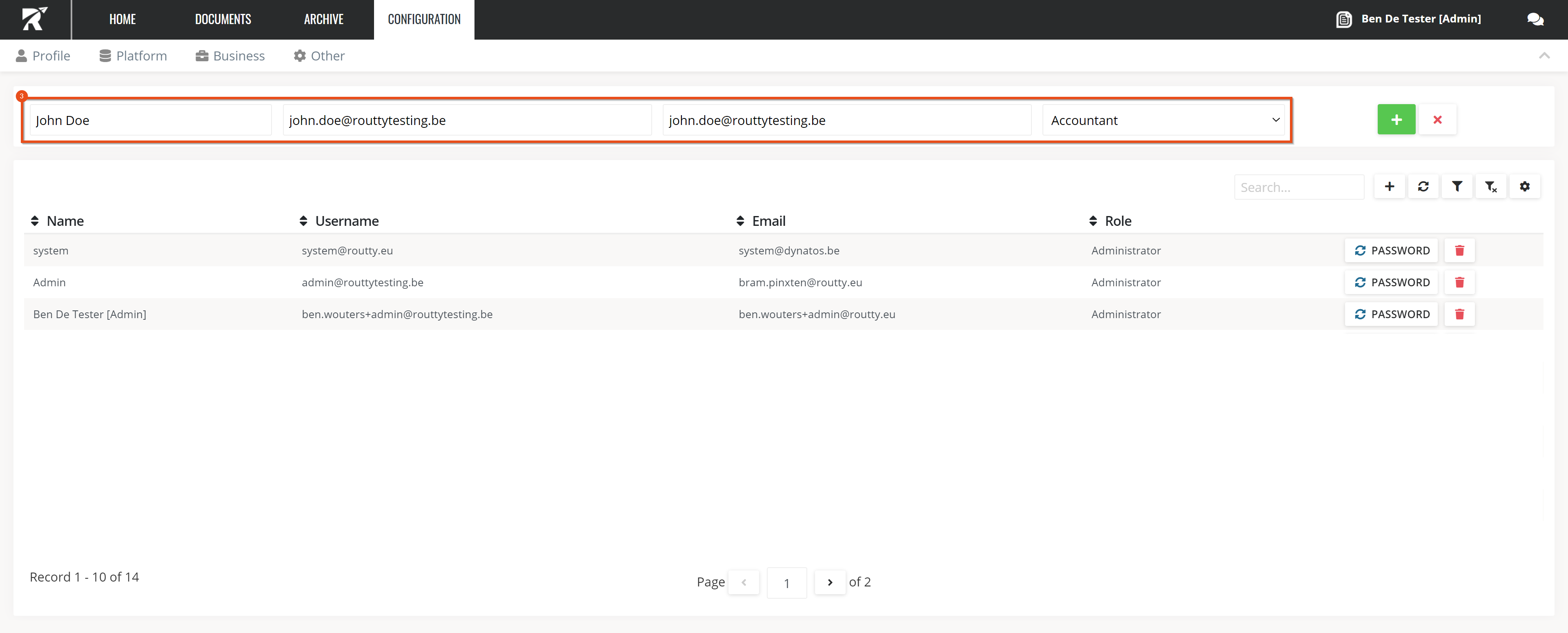
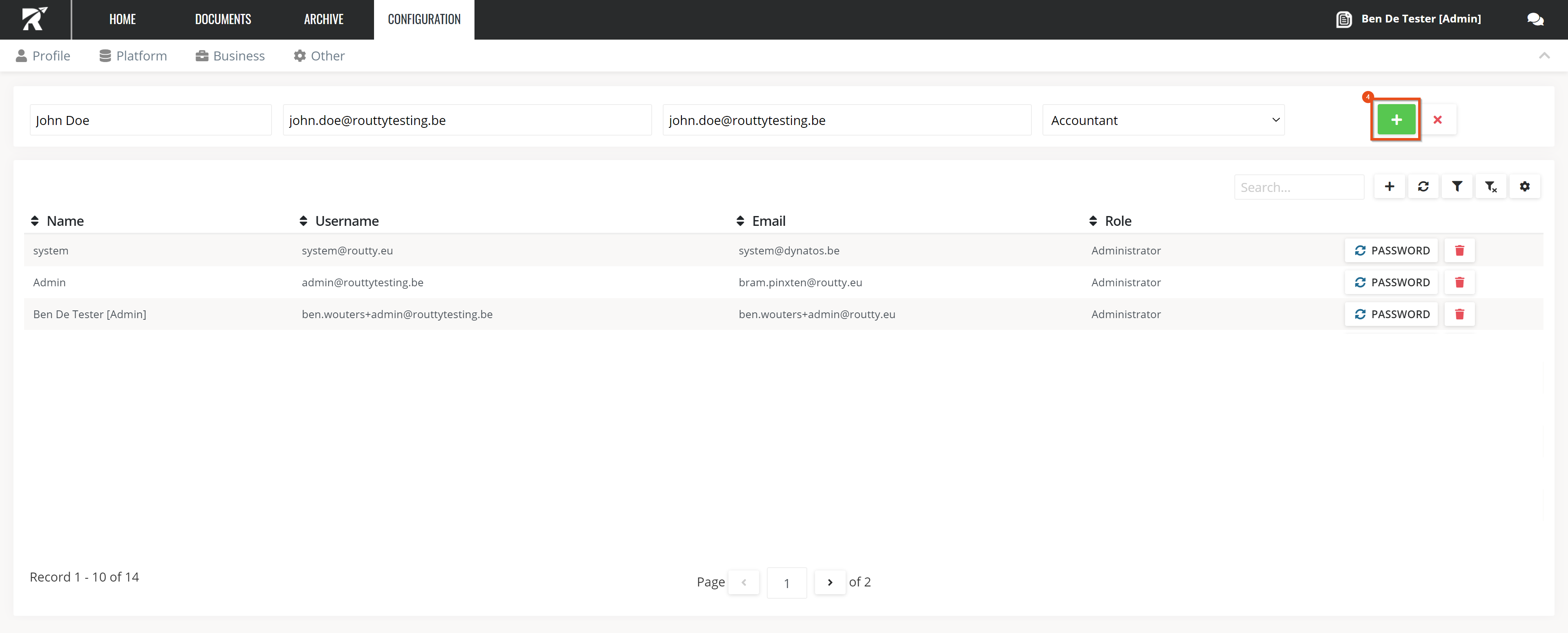
Fill in all mandatory fields
-
Provide the user’s Name
-
Provide the user’s Username
-
The user’s Email will automatically be prefilled with the chosen username but can be overwritten
-
Select a Role
-
-
Click on the add
-
The user is created and an email to set a password will be send towards the provided email address