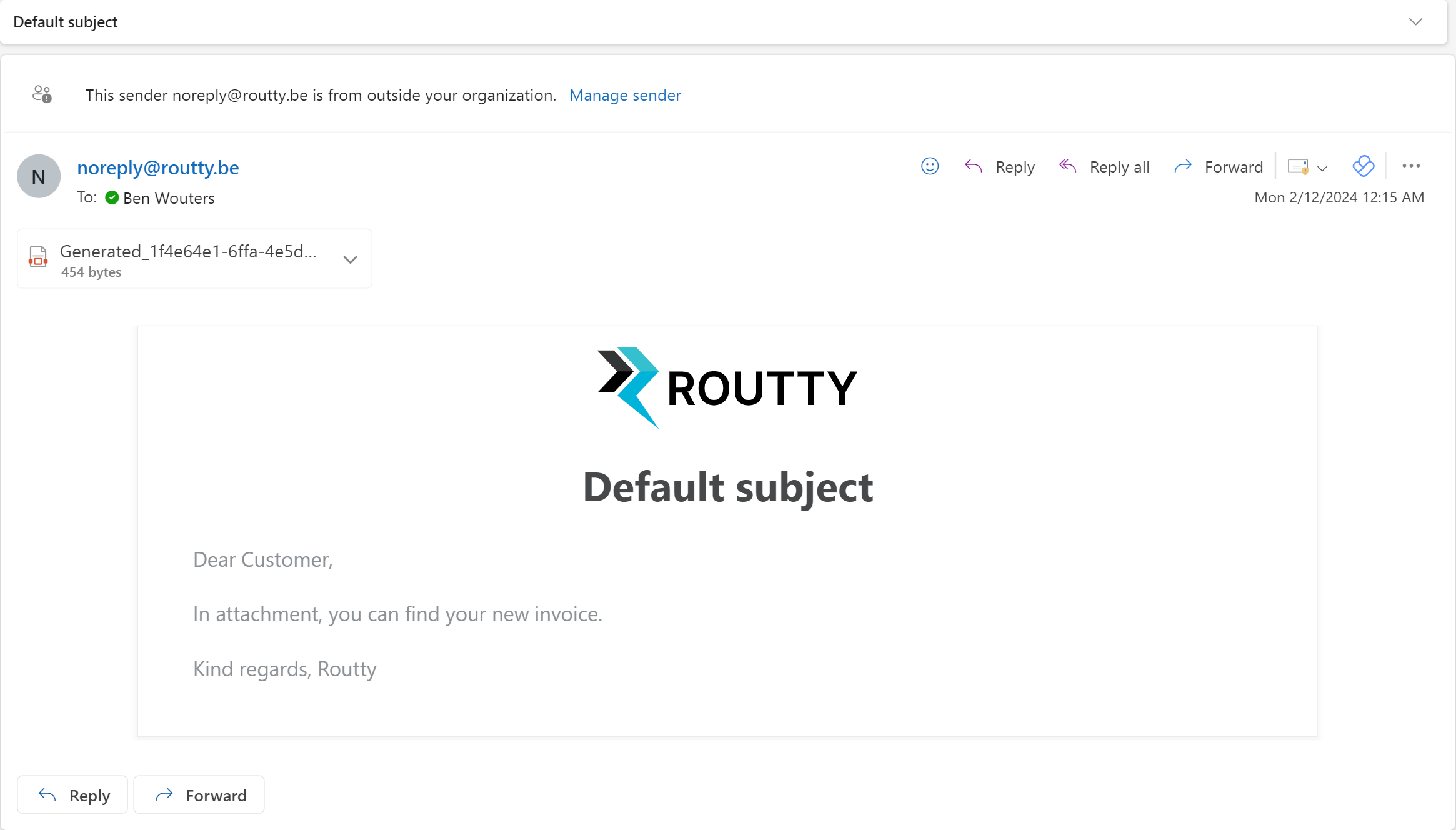
Routty provides the functionality to request a credit note if needed. An email will then be sent out to the provided email address(es) with the attached document requiring a credit note.
Instructions
-
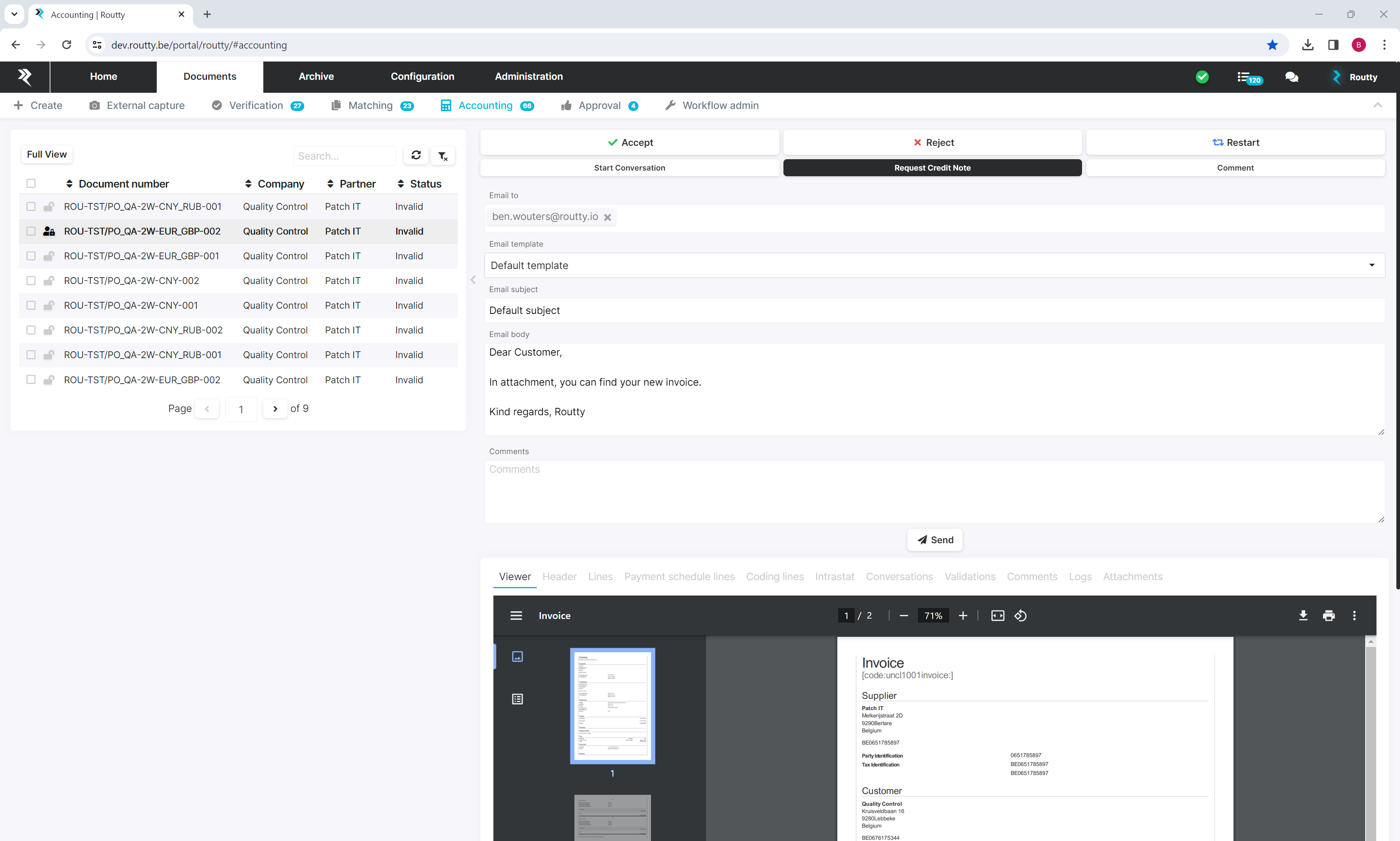
Navigate to a document either in matching or accounting where a credit note is required
-
Open the document to see its details in split screen
-
Click on the button request credit note to see the following fields
-
Email to : Contact email address of the partner. (Multiple email addresses can be added)
-
EMAIL TEMPLATE : An email template can be selected to add an email body and subject
-
Email subject : Is prefilled when selecting a template or can be filled in manually
-
Email body : Is prefilled when selecting a template or can be filled in manually
-
Comment : Comment why request credit is needed
-
-
Create a request
-
Enter one or multiple email addresses, press the enter button after each address to confirm your input
-
Default email templates can be selected if maintained in your system
-
Enter an email subject or adjust the email subject of the selected email template
-
Enter a comment (The comment is visible in the logs of the document after the request)
-
Click on Send
-
-
Now an email is sent to all the Email to addresses with the document attached