
This page contains an overview of all conversations you’re involved in.
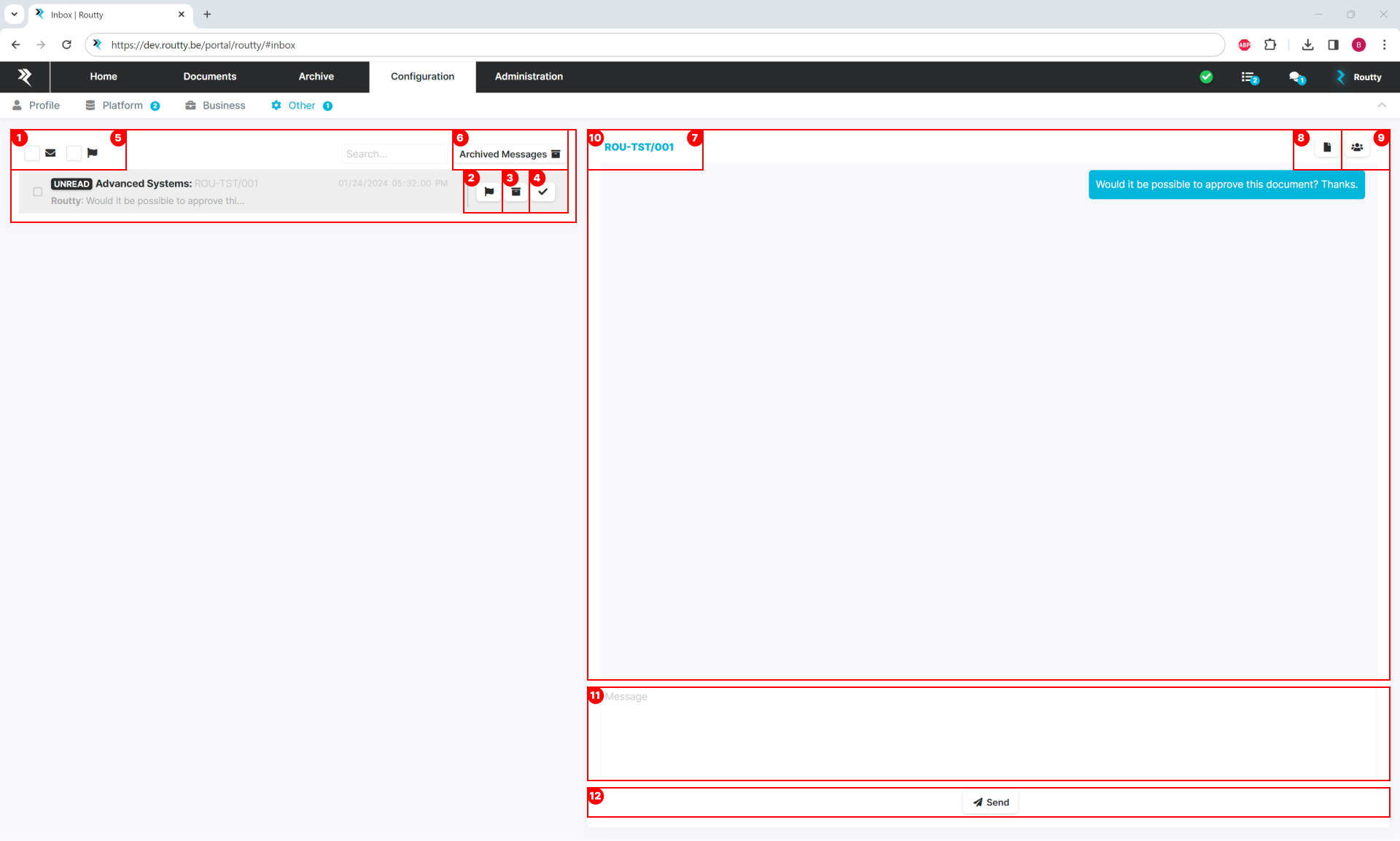
On the left side, an overview of all conversations is presented. It is possible to:
-
open a conversation (and display all messages in this conversation on the right)
-
flag a conversation (when deemed important, or when follow-up is needed)
-
archive a conversation (when you no longer need to see the conversation in this view)
-
change the read/unread status of a conversation
-
filter in conversations
This filter will search for a word in a conversation, only show unread e-mails or will only show flagged conversations
These functionalities are further discussed in Consult your inbox -
open the list of archived messages
On the right side, an overview of all messages within a conversation is shown with the following options:
-
go straight to your document, wherever it may be in the flow
-
open the linked document in a pdf viewer
-
invite new users to participate in this conversation
-
hover over a message to see the timestamp when this message was sent/received
-
type in a new message
-
send the message