
The capture page allows you to manually verify documents that failed to capture 100% automatically.
-
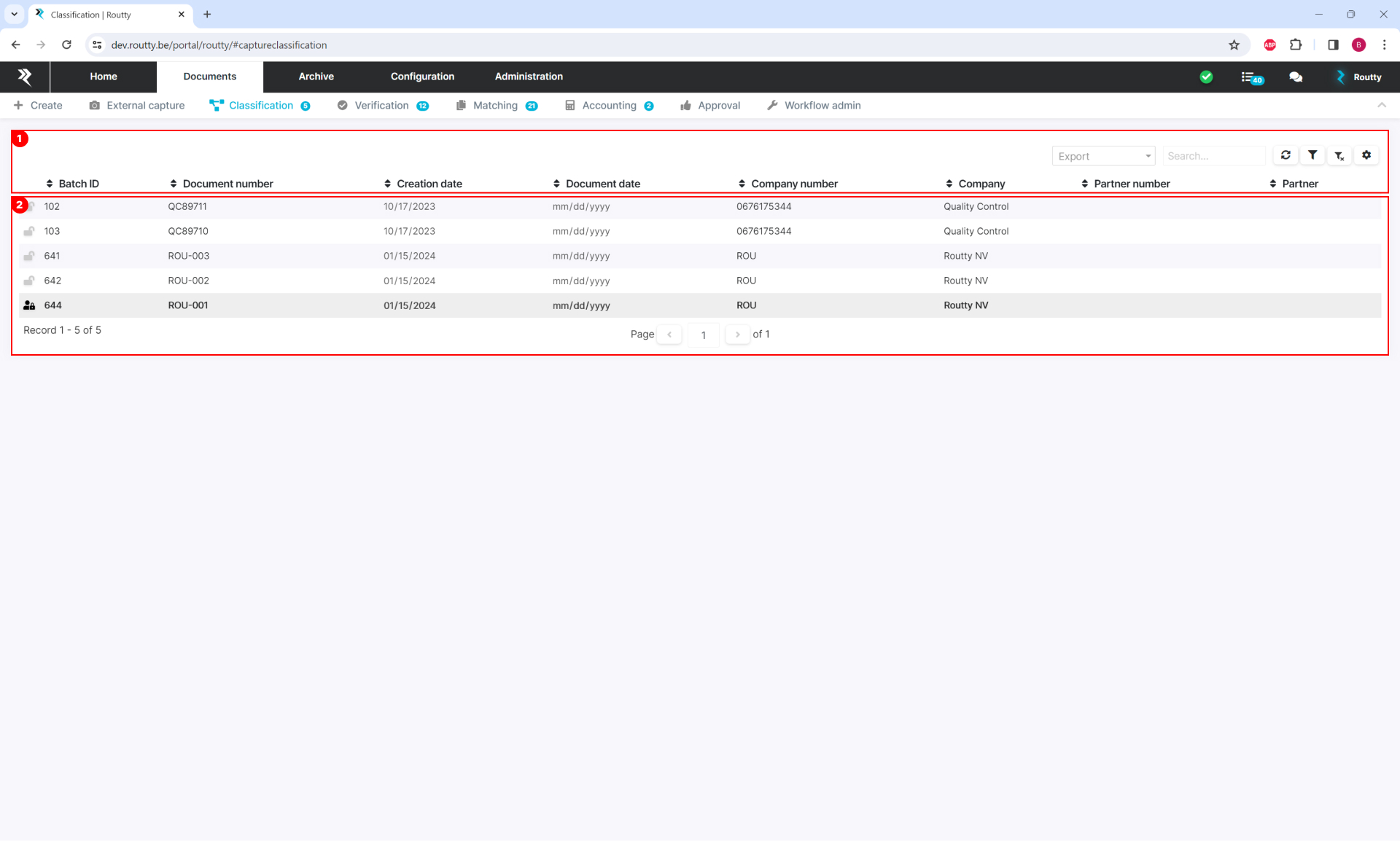
Overview area of all documents in the ‘Classification’ step that are assigned to you to determine the document type.
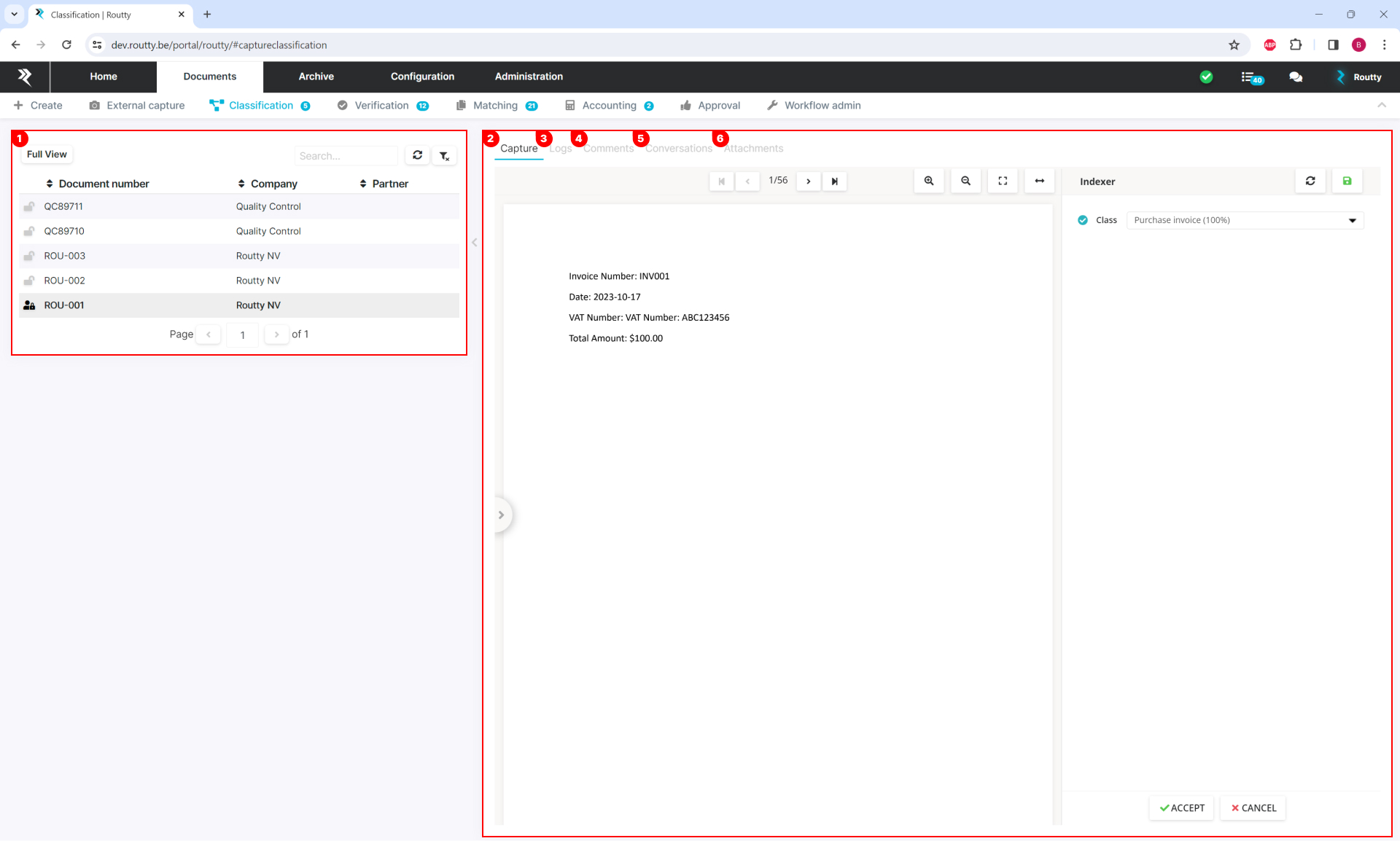
When a document is clicked, the editing area for this document opens.
-
When the editing area is open, the document list is minimized, go back the previous screen by using the FULL VIEW button.
-
The CAPTURE tab shows all information about the document and provides and tools you need to verify the document.
-
The LOGS tab displays all audits for this document, the same audits are also present in the Monitoring screen
-
In the COMMENTS tab, you can search and view all comments that have been made by users in Routty on this document
-
The CONVERSATIONS tab displays all conversations related to this document, see Conversations for more information
-
The attachments tab displays the attachment of the document, including the .PDF and if the document was sent by email, the .eml is also present.